
GPS, OBD, and Dashboard Speeds Disagree? Audit the Three Sources Before Recalibrating

Three Speeds, Three Sources
At a steady cruise, the dashboard says one speed, an OBD display says another, and a phone or GPS receiver reports a third. None of them must be broken. They may be measuring, calculating, filtering, rounding, and displaying different versions of the same motion—and two of the displays may secretly share one source.
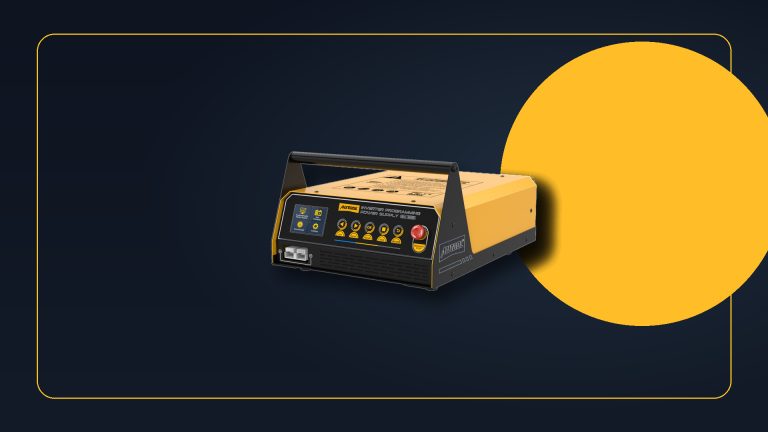
A dual-source display tool makes the comparison convenient by showing OBD-derived and satellite-derived values in the same trip. The MRCARTOOL M80 GPS and OBD head-up display is one route, not a certified speed standard; its OBD mode may share the value that feeds the cluster.
Before recalibrating anything, audit the three witnesses. Identify where each number comes from, hold the test conditions steady, and measure tire and driveline changes that could alter the vehicle’s calculation. A three-way disagreement becomes useful only when the sources are genuinely understood.
Quick answer: Identify whether cluster and OBD readings share a source, compare them with GPS only during steady straight travel, measure actual tire rollout, inspect wheel-speed agreement and programmed driveline values, then use only the approved recalibration path.

In this guide
Name the three witnesses
The dashboard speedometer is a display, not necessarily a direct wheel measurement. A control module may derive vehicle speed from wheel sensors, transmission output speed, tire-revolution programming, final-drive information, or a combination of data. The cluster may then apply filtering, rounding, or an intentional display strategy.
An OBD value is a data item requested from a control module. It may expose the underlying calculated speed more directly, but it is not automatically independent from the cluster. If both begin with the same wheel-speed or driveline source, their agreement only proves that two displays received related data.
GPS speed is estimated from changing position or Doppler information over time. It does not depend on the vehicle’s tire programming, but reception, update rate, filtering, road geometry, and acceleration affect it. A stable satellite solution on a straight, level road is far more useful than a number observed in a tunnel, urban canyon, sharp curve, or rapid acceleration.
Establish a legal and repeatable test
Choose a safe road, comply with the speed limit, and use a passenger or data logging so the driver is not reading multiple screens. Warm the tires, set pressures correctly, select a straight open section with good sky view, and hold a steady speed long enough for each display to settle.
Test several legal speed plateaus rather than one snapshot. Record cluster, OBD, and GPS values at each plateau in both directions when safe; opposite directions help reveal wind, grade, and route effects. Note satellite reception, weather, tire temperature, load, and whether cruise control was used.
Do not compare a photographed speedometer at one instant with a GPS value captured a second later during acceleration. Display latency alone can create an apparent mismatch. The three readings must describe the same steady interval.
Measure the tire instead of trusting the sidewall
If tire size changed, calculate the nominal circumference difference, but also inspect the actual installation. Inflation, load, wear, brand construction, and tread depth influence loaded rolling circumference. Two tires carrying the same size label may not produce identical revolutions per distance.
Confirm all four tire sizes and pressures, especially on all-wheel-drive vehicles. Look for staggered fitments, an incorrect replacement tire, or a temporary spare. Use the manufacturer’s method to measure rollout or revolutions per known distance when required. Do not mark a public road or crawl near a moving vehicle to make the measurement.
Record wheel and tire changes before and after the disagreement began. A modest circumference change creates a percentage error that usually grows with speed. A fixed numerical offset, intermittent jump, or one-wheel discrepancy suggests another mechanism.
Audit driveline and programmed values
Axle ratio, final drive, transmission output, transfer case, coding, and tire-revolution parameters may contribute to calculated speed. Review repair history for gear changes, module replacement, coding, instrument-cluster swaps, or software updates. A used module may carry configuration from another vehicle.
Scan wheel speeds at a stable low and moderate road speed if the tool and safe logging setup allow. The four values should be evaluated for plausibility and agreement under the service procedure. One wheel that differs can indicate tire mismatch, sensor/tone-ring trouble, or data interpretation—not a global speedometer calibration issue.
Compare the raw vehicle-speed parameter with the cluster display. If the scan value and cluster differ by a repeatable amount, display strategy or cluster configuration deserves attention. If they agree but both differ proportionally from stable GPS evidence after a tire change, programmed rolling data becomes more relevant.
Read the disagreement pattern
A nearly constant percentage difference across several speeds often fits circumference or calibration scaling. For example, if one source is consistently proportionally lower as speed rises, calculate the ratio rather than focusing on a single unit difference. Use enough points to see the pattern.
A fixed offset can come from display strategy, rounding, or a correction setting in an accessory. A disagreement that appears only during acceleration can be update-rate or filtering lag. A GPS value that wanders while vehicle sources remain stable may reflect reception. A single wheel-speed dropout or sudden OBD jump is a diagnostic event, not a recalibration request.
Remember that dashboard speed may be designed not to under-read actual speed within applicable regulatory and manufacturer limits. Do not “correct” an intentional display margin solely to make every screen identical. Consult the exact market and vehicle information.
Decide whether recalibration is warranted
Recalibration becomes reasonable when tire or driveline changes are verified, the measurement audit is repeatable, source behavior is understood, and the vehicle provides an approved correction path. That path may involve tire revolutions per distance, supported tire sizes, axle-ratio configuration, module programming, or a manufacturer accessory.
Use the OEM or qualified calibration procedure. Do not change coding values by trial and error. Incorrect configuration may affect transmission shifting, stability control, driver assistance, mileage accumulation, cruise behavior, service calculations, and more than the speed display.
If the installed tire size is outside supported limits, returning to an approved size may be safer than forcing a calibration. If wheel-speed data disagree, repair that fault first. If only an aftermarket display differs, check its source mode and correction settings before altering the vehicle.
Avoid false precision
A consumer GPS display may show decimal places or a crisp integer, but the visual precision does not make it a traceable calibration instrument. Use it as a practical reference under good conditions, preferably compared over several steady intervals and, where necessary, against a recognized test method.
Likewise, OBD data resolution, update rate, and parameter support vary. A display can interpolate or smooth values. Verify whether the device is in GPS or OBD mode and whether an offset or unit conversion has been configured. Miles per hour and kilometers per hour mistakes can be obvious, but smaller conversion and rounding effects are easy to miss.
Keep the raw readings. A simple table of source, speed plateau, direction, tire state, and configuration is stronger than a statement that “GPS is more accurate.” Accuracy belongs to a method and condition, not a brand category.
Verify all three sources after correction
Repeat the same legal route, directions, speed plateaus, tire pressures, and reception conditions. Confirm stable wheel-speed agreement, plausible OBD data, the expected cluster relationship, and a GPS reference that no longer shows the original proportional error. Check related systems for warnings or abnormal behavior.
The goal is not to force three digits to match at every instant. It is to explain why they differ, correct a proven configuration or component fault, and leave each source behaving predictably within its intended role.







Comments 0
Questions, fixes, and real-world diagnostic notes from readers.
Be the first to share a diagnostic result or ask a follow-up question.