
How to Use the AUTOOL CS310 Odometer Scanner

The AUTOOL CS310 is an used-car odometer scanner. This guide turns the current model-specific controls and official operating sequence into a practical start-to-finish workflow.
Quick answer: Connect the CS310 with the vehicle stationary and ignition off, identify the exact VIN and vehicle record, then run the supported mileage scan. Record every returned module value with its module name and units, and compare the set with the cluster, service history, title or inspection records and physical condition. A discrepancy deserves investigation; the scanner alone does not prove odometer tampering.
In this guide
Before you start
Mileage is stored differently across vehicles. Some modules do not store it, use another unit or update on a different schedule; a replaced cluster or control module can also create a legitimate difference. Obtain permission to scan the vehicle, protect personal data in saved reports and use the CS310 as one evidence source in a broader pre-purchase inspection.
- record the VIN, displayed odometer, current units, seller statement and inspection date before connecting;
- confirm the target vehicle and market are within the CS310’s current coverage rather than relying on a similar model year;
- park securely in a ventilated area and inspect the DLC for bent pins, corrosion, heat damage or an installed tracking/insurance device;
- keep the cable clear of pedals and steering and arrange approved battery support if the vehicle procedure requires it for a long ignition-on scan;
- decide how screenshots or reports will be labeled by module so unlike values are not mixed; and
- prepare independent mileage evidence such as service, inspection, title and maintenance records for later comparison.
Use the AUTOOL manual download center to locate the current instructions when a manual is available. The delivered model label and current vehicle service information control if an older image or remembered setting differs.
CS310 controls and specifications
| Specification or function | Current model |
|---|---|
| Operating Temperature | -10°C to 50°C |
| Display | 2.8-inch TFT color screen |
| Resolution | 320 × 240 |
| Product | AUTOOL CS310 Used Car Odometer Scanner / Odometer Reader |
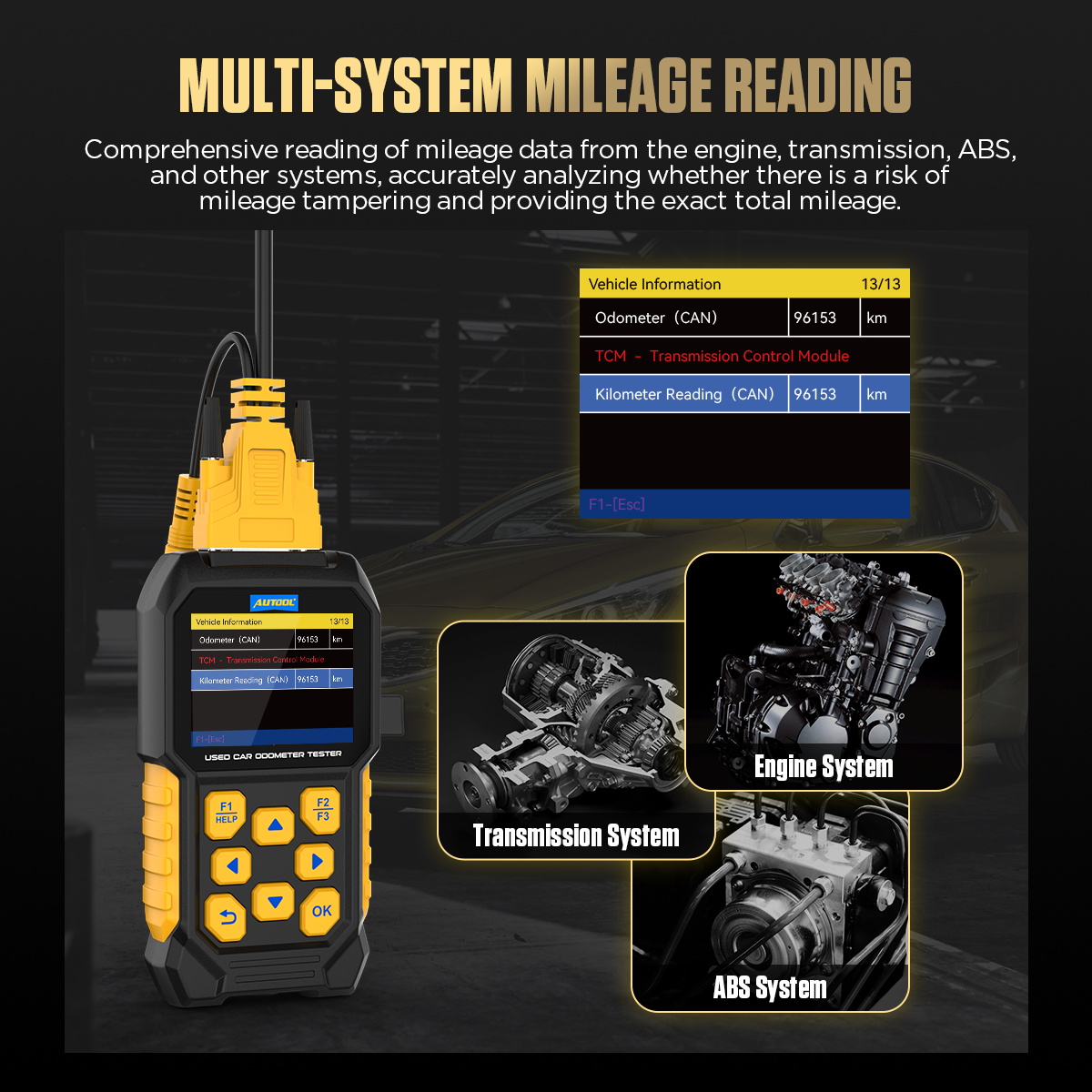
| Main Function | Multi-system mileage reading and odometer tampering detection |
| Operating Voltage | DC 10-16V |
| Operating Current | 100mA |
| Static Current | 80mA |
| Vehicle Interface | Standard OBD-II diagnostic interface |
| Upgrade Interface | Type-C interface |
The CS310 can report only the modules and data identifiers supported on the exact vehicle. A blank, unsupported or communication-failed module is not a zero-mileage result. Preserve the original value and units; do not convert miles and kilometers silently, and do not describe a mismatch as fraud without a vehicle-specific explanation and independent evidence.
How to use the CS310
Step 1: Confirm the CS310 and the vehicle inspection scope
Use the CS310 as one part of a used-car inspection. Record the vehicle identity, displayed odometer, market and customer permission before connecting. Mileage stored by a module may be unsupported, absent, rounded or updated on a different schedule; a difference is a lead for verification, not proof of tampering.
Before moving on, pause and check the connection against the physical labels. A secure-looking connection can still be the wrong port, polarity, range or adapter.
Step 2: Inspect the vehicle DLC and secure the car
Park in a ventilated safe area, apply the parking brake, select Park or Neutral as appropriate and keep the vehicle stationary. With ignition off, inspect the 16-pin DLC and CS310 cable for bent contacts, aftermarket devices, corrosion or heat damage.
Step 3: Connect the CS310 before switching the ignition on
Insert the connector squarely without forcing it and keep the cable away from pedals and steering controls. Switch the ignition to the state requested by the current screen; start the engine only if an on-screen test and the inspection procedure require it.
Step 4: Open DIAGNOSE and identify the exact vehicle record
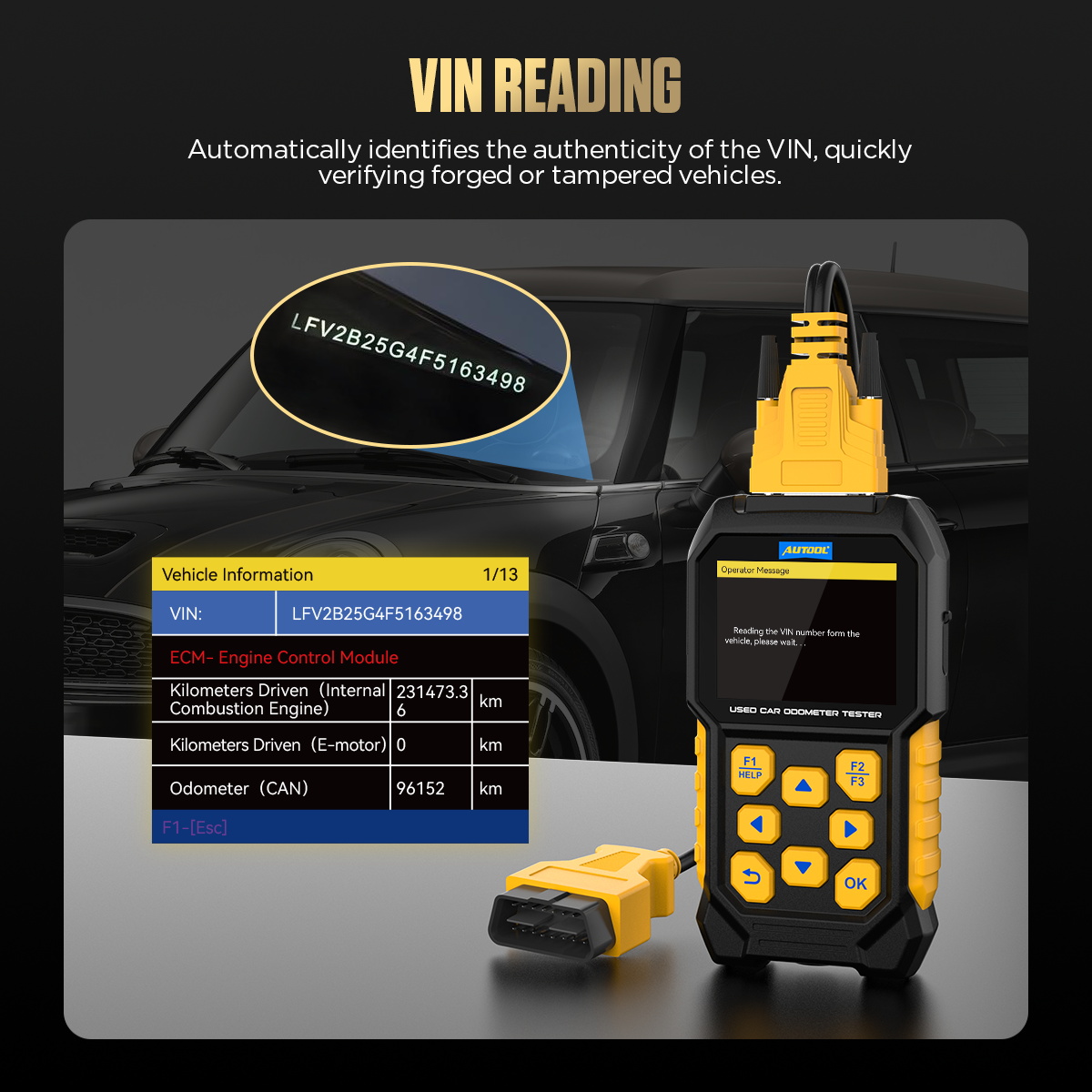
From the main menu choose DIAGNOSE, select the vehicle brand, then use Auto Scan or Model Select as appropriate. Confirm any returned VIN and vehicle description against the physical VIN and actual configuration; stop if they do not match.
Step 5: Choose Mileage Information and let the scan finish
After vehicle selection, choose Mileage Information rather than Quick Clear DTC. Allow the CS310 to query every supported module without disconnecting it. Keep battery voltage stable by an approved method when a long ignition-on scan requires support.
Step 6: Record each module value with its label
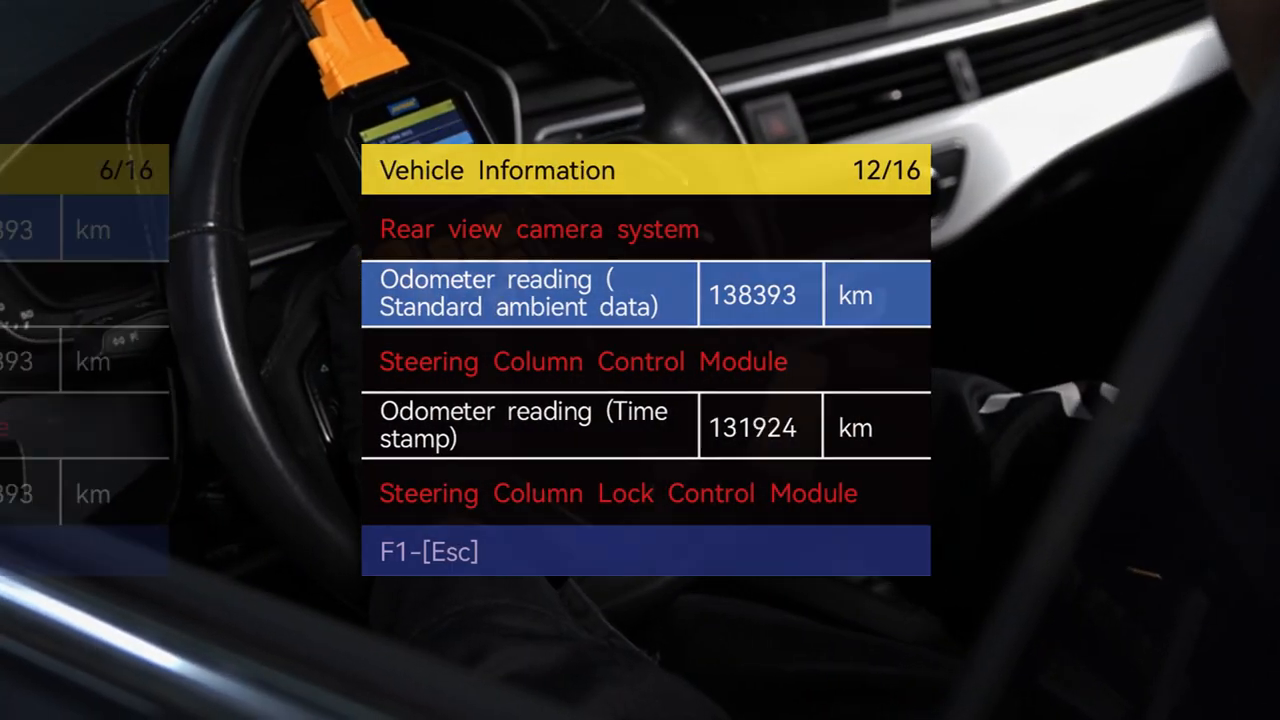
Save or photograph every returned value together with the module name, units and any unavailable or communication status. Do not average unlike module values or silently convert miles and kilometers without recording the original unit.
Step 7: Compare the results with independent records
Compare cluster display, supported-module values, service and inspection history, title records and physical wear as separate evidence. Investigate a material or unexplained discrepancy with vehicle-specific expertise; the CS310 alone cannot determine who changed a value or whether a module replacement explains it.
Step 8: Exit the scan and disconnect with ignition off
Return to the main screen, let communication finish, switch the ignition off and remove the CS310 by the connector body. Reinstall any DLC cover and confirm no warning, drivability or communication issue was introduced.
Do not end the job at the first plausible indication. Repeat or confirm the observation under the same controlled condition, then restore the vehicle connection and check for leakage, warnings or an abnormal response.
Read and verify the result
Read the scan as a matrix: module name, stored value, unit and access status. Values that agree within an explainable update interval support consistency. A material mismatch, impossible chronology or a value below an earlier verified record is a reason for deeper documentation and specialist inspection, not an automatic verdict.
- Confirm automatic vehicle identification against the physical VIN before accepting any returned mileage data.
- The current CS310 manual notes that differences up to 500 km can occur between modules because of manufacturer testing and transport; treat that as context, not a universal pass/fail cutoff, and still check dates and records.
- Treat the instrument cluster, engine, transmission, body or key-system records as separate observations; storage behavior differs by vehicle.
- Compare dates as well as distance. A later record lower than an earlier verified record is more informative than two current modules that update differently.
- Combine electronic data with pedal, seat, steering-wheel, tire, brake and maintenance condition, while recognizing that parts can be replaced.
Stop if vehicle identification is wrong, battery voltage becomes unstable, the connector or cable heats, modules reset, warnings appear or the scan requests an unsupported write/programming action. Let communication end, switch the ignition off and investigate before reconnecting.
Common mistakes and care
- Inspect the tool, leads, hoses and adapters before each use.
- Use only the power source, range and vehicle connection permitted by the current instructions.
- Stop if the setup, reading or vehicle behavior is abnormal or uncertain.
- Do not call an unsupported module a zero reading or remove it from the report.
- Do not compare one value in miles with another in kilometers without labeling the conversion.
- Do not let an automatic VIN result override the physical VIN plate and vehicle configuration.
- Do not use the CS310 while driving or leave its cable where it can interfere with controls.
- Do not let one electronic value replace a mechanical, history and identity inspection of the used vehicle.
Frequently asked questions
Can I use the CS310 setup from a different AUTOOL model?
No. Similar housings and accessories do not prove identical ranges, controls, power requirements or connection methods. Match the exact model first.
Does one normal result prove the system is fault-free?
No. It proves only that the tested condition was within the chosen acceptance criteria at that moment. Continue the vehicle-specific diagnostic path when the symptom remains.
What should I do when the reading is unstable?
Stop and check power, connection security, sealing, range selection, test-point suitability and vehicle state. Repeat only after the cause of instability is understood.
Final CS310 checklist
- Permission, VIN, displayed odometer, units and inspection date recorded
- Exact vehicle record confirmed against the physical VIN
- Each supported module result saved with label, units and access status
- Unavailable and communication-failed modules retained in the report
- Cluster and module values compared with dated independent records
- Any discrepancy described neutrally with plausible replacement/update explanations
- Scan exited, ignition switched off and DLC restored without warnings
A strong CS310 inspection does not chase a single dramatic number. It preserves the full set of module observations, their units and limitations, then tests the timeline against independent records and vehicle condition. That method gives a buyer a defensible reason to continue, negotiate, seek specialist help or walk away.



Comments 0
Questions, fixes, and real-world diagnostic notes from readers.
Be the first to share a diagnostic result or ask a follow-up question.