
How to Connect MRCARTOOL N180 to a Phone and Inspect a Cylinder

A phone can make a cylinder inspection easier to share and document, but the connection must be proven before the probe enters the engine. The MRCARTOOL N180 articulating borescope uses a wired companion-app connection on a compatible Android phone. Once live view, rotation and capture work in open air, the 6.25 mm camera can be routed through a suitable spark-plug opening with the engine cool, disabled against starting and the articulating tip centered.
Quick answer: Use a compatible Android phone; the current N180 page says Apple iOS is not supported. Scan the current QR code supplied with the exact unit, verify the download source, install the holder, secure the phone, connect the correct data cable and confirm live view in the app. For a cylinder, cool and disable the engine, clean the plug well, remove the correct spark plug, insert the centered probe without force, inspect from a known landmark, capture overview and close views, return the tip to neutral and withdraw before the engine is moved.
In this guide
Separate phone setup from engine access
There are two separate pass gates. First, the phone must securely hold the live view and save a test image without depending on the probe being inside the vehicle. Second, the vehicle must be cool, identified and protected against cranking before a spark plug is removed. If either gate fails, use the detachable N180 screen or postpone the cylinder inspection.
A cylinder image is not a diagnosis by itself. Carbon, oil wetness, coolant-like deposits, wall marks and unusual piston-crown patterns can guide the next test, but lighting, camera angle and residue can change their appearance. Record where and how the image was made, compare repeatable views, and confirm the finding with the applicable compression, leak-down, cooling-system, fuel or mechanical procedure.
| Item | N180 control | Practical consequence |
|---|---|---|
| Phone mode | Wired companion-app connection | Do not search for an N180 Wi-Fi network |
| Current phone support | Compatible Android; current page excludes Apple iOS | Use the supplied screen if the phone is unsupported |
| Camera head | 6.25 mm | Confirm the full head and articulated section can enter and return |
| Focus range | 15–100 mm | Back away from a blurred surface instead of forcing the tip closer |
| Articulation | Four way, approximately 360 degrees | Steer gently only after the tip reaches open space |
| Water resistance | Camera lens IP67; host not waterproof | Keep handle, phone, screen and connectors dry |
For the detachable screen, TF-card settings, charging, general probe routing and storage, use the complete MRCARTOOL N180 operating guide. This workflow focuses on Android phone connection and a repeatable cylinder record.
Before you start
- Confirm the exact N180, a compatible Android phone, the supplied holder and the correct data cable.
- Use the QR code on the current device or its current product materials; verify the download domain and publisher before installing an APK.
- Charge the N180 from the manual-specified DC 5 V/1 A source and inspect the probe, braid, lens and steering response.
- Identify the engine, cylinder number, spark-plug removal procedure and required ignition/fuel disable method.
- Let the engine cool fully and secure the key so no one can crank or rotate the engine.
- Prepare clean spark-plug tools, compressed-air or vacuum cleaning as the service procedure allows, and a cylinder inspection worksheet.
- Decide the piston position needed for the view, but move the engine only while the N180 probe is completely outside.
Never insert the probe into a running engine or rotate the crankshaft with the camera inside. Piston or valve movement can trap the articulated tip instantly.
Connect N180 to a phone and inspect a cylinder
Step 1: Verify Android compatibility and the app source
Use a supported Android phone with enough charge and storage. The current product information explicitly says Apple iOS is not supported, so do not force an iPhone connection or install an unrelated app with a similar name.
Scan the current QR code supplied with the exact N180. Review the requested download, domain, file and Android security prompt before installation. If the source cannot be verified, stop and use the supplied display while obtaining current support information from MRCARTOOL.
Step 2: Install the holder and secure the phone
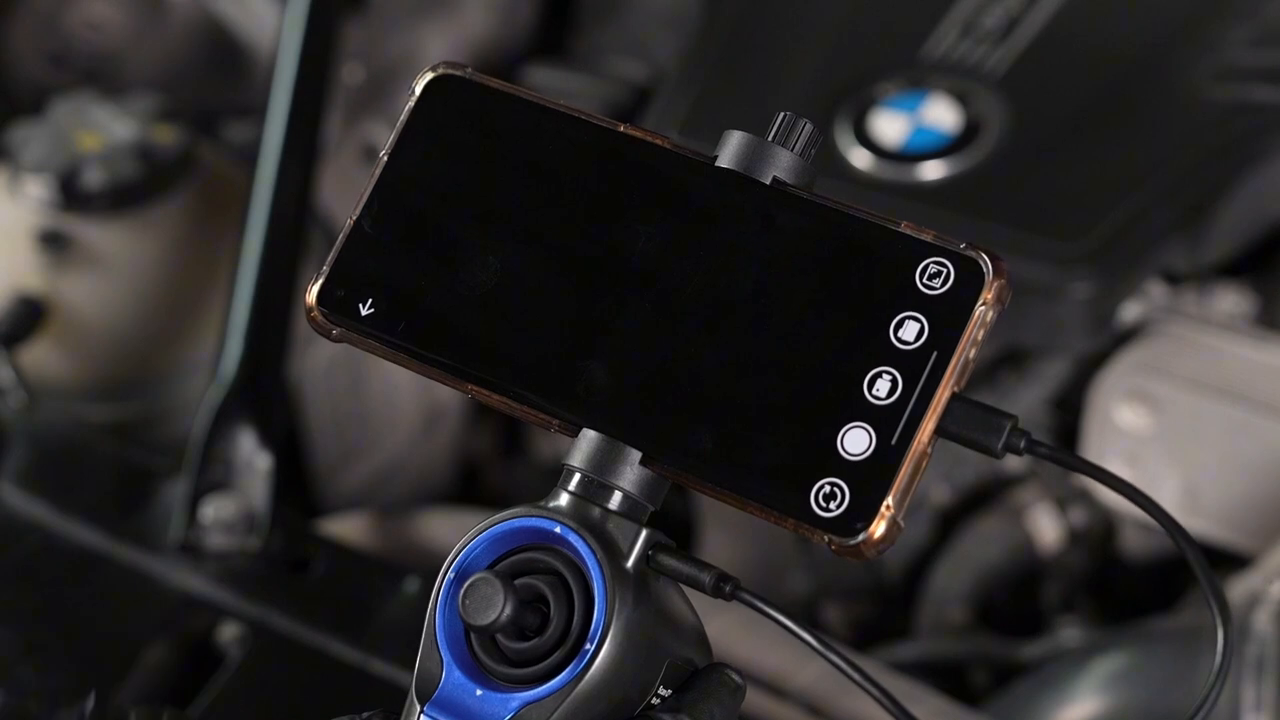
Fit the N180 phone holder to the handle and adjust it before placing the phone above an engine. Center the phone so its buttons and charging port are not clamped, then tighten only enough to prevent movement.
Tilt the phone for a clear view while keeping its weight over the handle. Shake the assembly lightly over a bench; if the phone slips or the holder turns, correct it before continuing.
Step 3: Connect the wired data path
Attach the correct phone data cable between the N180 screen/cellphone connection port and the Android phone. This is a wired video path, not Wi-Fi casting. Route the cable with a relaxed bend so it cannot pull the phone or snag the probe.
Open the companion app, accept only the connection permission needed for the device and select its Start control after the N180 is recognized. If there is no live image, reseat the data cable and check phone USB permissions before reinstalling anything.
Step 4: Prove live view, rotation and capture in open air
Point the lens at a printed label or fastener 15–100 mm away. Adjust the N180 LED so the image has edge detail without a white hotspot. Test app rotation so the steering direction and screen orientation make sense to you.
Take one photo, record a short video and open playback. Confirm the files are actually saved and readable. A live view without a retrievable record is not ready for a documented cylinder inspection.
Step 5: Prepare and identify the cylinder
Let the engine cool, follow the vehicle procedure to prevent starting and label the target cylinder. Remove covers or coils as specified. Clean dirt from the plug well before removing the spark plug so debris cannot fall into the cylinder.
Remove and store the plug without mixing cylinder positions. Inspect the opening and confirm that the 6.25 mm camera head, articulated neck and braid have a clear reversible path. Do not assume clearance from the plug-thread diameter alone.
Step 6: Set piston position with the probe outside
If a different piston height is needed, keep the N180 completely outside and turn the engine only by the vehicle-approved manual method. Never use the starter for positioning and never rotate an engine while the probe is through the plug hole.
Record the approximate piston position because it changes the visible wall area and camera clearance. Recheck the key, ignition/fuel disable and the person controlling the engine before insertion.
Step 7: Center the camera and enter without force
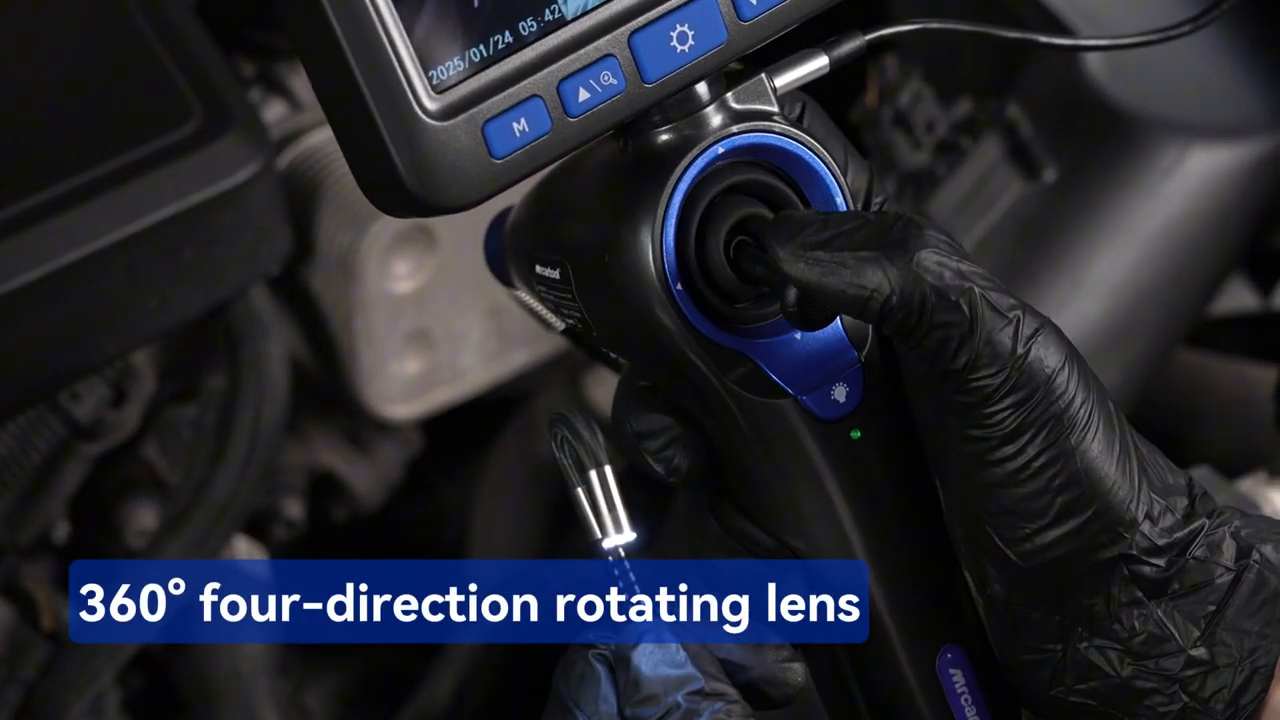
Straighten the snake cable enough to unload the steering wires, return the rotate wheel to neutral and confirm the tip is visually centered. Hold the braid near the plug opening and feed the cable, not the handle or phone.
Watch the live image continuously. If the tip catches a thread, seat or edge, withdraw slightly and change the neutral approach. Do not articulate to force the head around an obstruction.
Step 8: Create an orientation landmark
Before searching for damage, capture the plug threads or another known feature, then advance until the piston crown becomes recognizable. Note which screen edge corresponds to the intake/exhaust side when that orientation can be established from the engine layout.
This first image gives every later close-up context. Without it, a dark mark or bright edge may be impossible to place in the cylinder or compare at a later visit.
Step 9: Inspect the crown, wall and visible valve area
Use small steering-wheel movements only after the camera is in open space. Scan the piston crown in overlapping sectors, then back away into the 15–100 mm focus range and inspect the visible cylinder wall. Look for repeatable scoring, unusual clean areas, foreign material or wetness without naming the cause yet.
Where the plug angle permits, steer toward visible valve faces or chamber edges. Stop if steering resistance rises or the image stops responding. Return toward neutral, reposition the entire probe gently and try again rather than forcing the wheel.
Step 10: Capture a three-image evidence set
Save an orientation view, a medium view containing the feature and surrounding landmark, and a focused close view. Keep LED level, image rotation and piston position in the job note. Record a short sweep when a still image cannot show the feature’s extent.
Review every file before withdrawal. Delete only obvious accidental captures; preserve ambiguous findings for comparison. If another cylinder is used as a reference, reproduce the same piston position, light level, rotation and scan pattern.
Step 11: Neutralize and withdraw the probe
Turn the steering wheel gently until the tip is as straight as the route permits. Withdraw slowly while watching both the phone and plug opening. If the probe catches, stop, advance a few millimetres, neutralize again and change the cable angle.
Never jerk the braid or pull against an articulated tip. Once clear, inspect the lens, head, braided section and cable for damage and confirm that no accessory or protective piece remains in the plug well or cylinder.
Step 12: Restore the engine and choose the next test
Clean the lens with a suitable non-abrasive method and keep liquid away from the handle, phone, screen and connectors. The IP67 rating applies to the lens assembly, not the whole N180. Save and label the files with vehicle, cylinder and orientation.
Restore the spark plug, coil, connectors and disable controls using the vehicle procedure and specified torque. Use the visual finding to select the next proof: compression or leak-down testing, cooling-system pressure testing, oil/fuel diagnosis or mechanical disassembly as appropriate.
How to read a cylinder image responsibly
Treat the image as a location-specific observation, then use another test to establish cause and severity.
| Visible finding | What it can support | What it cannot prove alone |
|---|---|---|
| Wet surface | Location and distribution of liquid-like residue | Whether it is fuel, oil, coolant or cleaning fluid |
| Bright clean patch | A repeatable contrast with surrounding deposits | Coolant entry or a specific failed gasket |
| Vertical wall mark | Position, direction and visible extent | Depth, compression loss or need for replacement |
| Heavy carbon pattern | Difference from other sectors/cylinders | Injector, oil-control or combustion root cause |
| Foreign object | Presence and approximate location | Safe retrieval method without service information |
Never rotate or crank the engine with the N180 probe inside a cylinder. Keep the tip neutral during insertion and withdrawal, and stop immediately if the steering wheel or probe meets resistance.
Common mistakes
- Trying to pair the N180 over Wi-Fi instead of using the data cable.
- Relying on contradictory iPhone marketing instead of the current no-iOS note.
- Installing an APK from an unverified copied link.
- Testing capture only after the probe is inside the engine.
- Moving the piston while the camera is in the cylinder.
- Steering hard while the snake cable is sharply bent.
- Saving only a close-up with no cylinder or orientation landmark.
- Diagnosing a failed part from color or wetness alone.
Frequently asked questions
Does MRCARTOOL N180 connect to an iPhone?
The current product page explicitly states that Apple iOS is not supported. Use a compatible Android phone or the supplied detachable display.
Is the N180 phone connection wireless?
No. The exact connection workflow uses the phone holder, a physical data cable and the companion app.
Can I rotate the engine to see more cylinder wall?
Only with the probe fully removed and by the vehicle-approved manual method. Never crank or rotate the engine with the camera inside.
Why is the cylinder image blurry at close range?
The manual lists a 15–100 mm depth of field. Back the camera away, reduce glare and clean the lens rather than pushing closer.
Can an N180 image confirm bad piston rings?
No. It can document a visible pattern, but ring sealing requires supporting evidence such as compression, leak-down and oil-consumption diagnosis.
N180 phone cylinder-inspection record
- Compatible Android phone and verified current app source.
- Holder secure, data cable connected and live view/capture proven.
- Engine cool, correct cylinder identified and starting disabled.
- Plug well cleaned and spark plug removed by the vehicle procedure.
- Any piston movement completed with the probe fully outside.
- Tip neutral for insertion; steering used gently only in open space.
- Orientation, medium and close views saved with light/rotation notes.
- Tip neutralized, probe recovered intact and engine restored correctly.
- Visual finding assigned an appropriate confirmation test.
A useful cylinder inspection begins before the camera enters the engine. Prove the wired phone connection, control engine movement, preserve a reversible probe route and record context with every close-up. That process protects the N180 and turns a phone image into evidence another technician can verify.

Comments 0
Questions, fixes, and real-world diagnostic notes from readers.
Be the first to share a diagnostic result or ask a follow-up question.