
2022 Mercedes A200 Reverse-Camera Screen Flicker: Control-Module Replacement

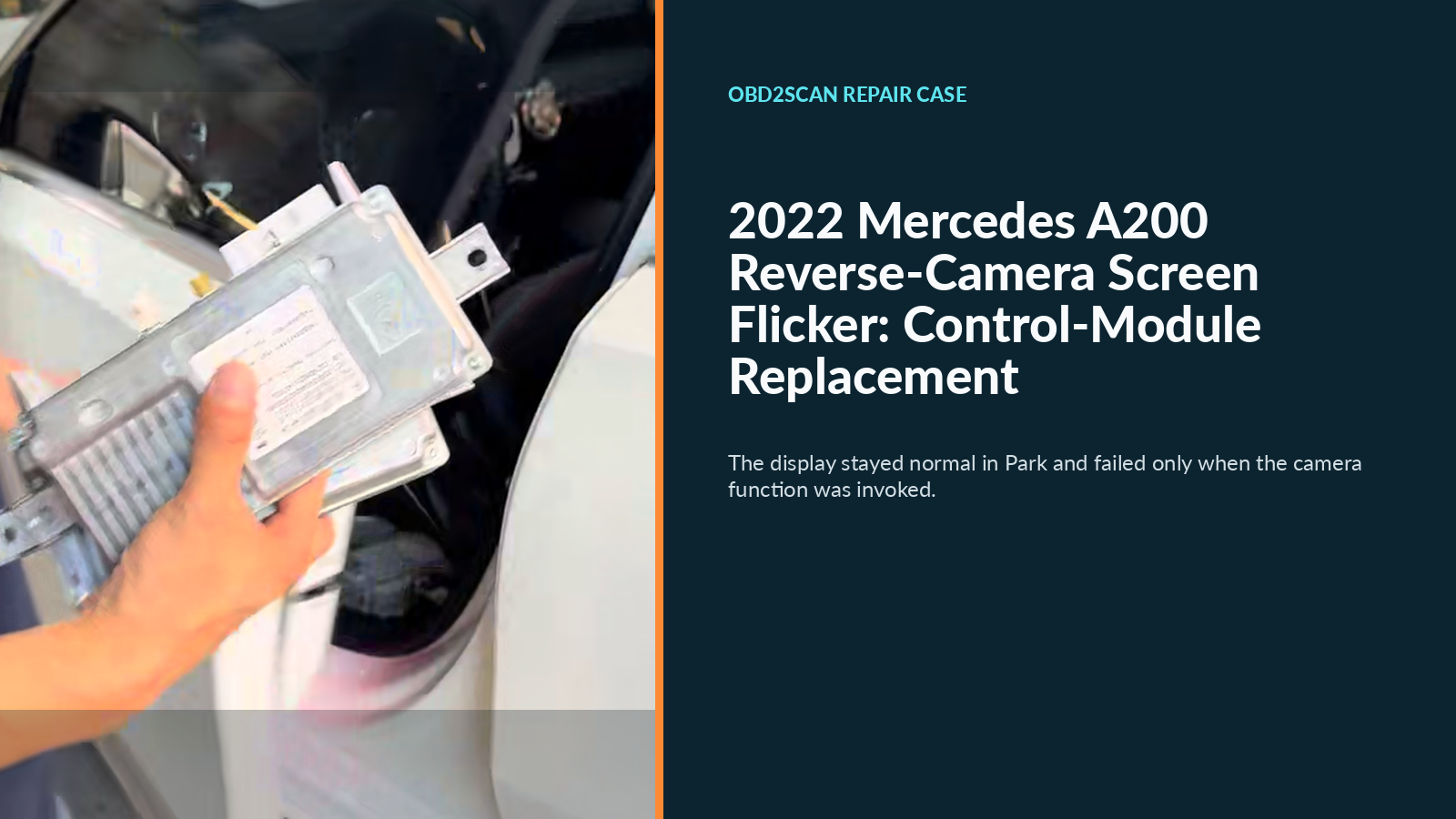
This 2022 Mercedes-Benz A200 arrived with a camera-display complaint; its engine, chassis, and mileage were not reported. The center display worked normally in Park, but it repeatedly flickered whenever Reverse was selected or the camera was called directly. The workshop confirmed a faulty reverse-camera control module, replaced and coded it, then repeated the original trigger and obtained a stable camera image without flicker.
Case at a glance
| Item | This vehicle |
|---|---|
| Vehicle | 2022 Mercedes-Benz A200 |
| Engine / chassis / mileage | Not reported |
| Complaint | Display normal in Park; repeated flicker in Reverse or when the camera was called |
| Confirmed fault | Reverse-camera control module, attributed in the case record to an internal chip problem |
| Repair | Replace the control module |
| Restoration | Code and program the replacement to the vehicle configuration |
| Verification | Repeat Reverse/camera activation; image stable and flicker absent |
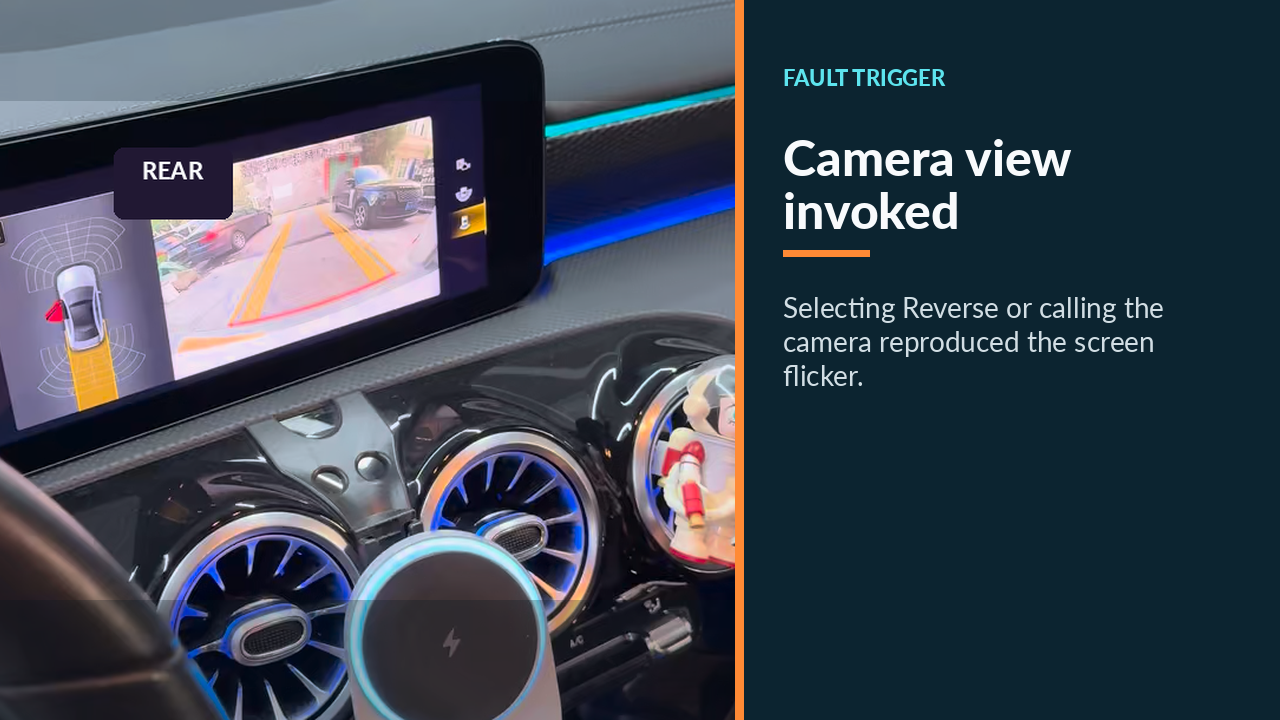
Why the Park-to-Reverse split mattered
The first useful clue was not simply “the screen flickers.” It was the sharp boundary between two operating states. In Park, the normal infotainment view was steady. Selecting Reverse, or deliberately opening the camera view, brought the fault back. Returning to Park restored normal display operation.
That comparison narrowed the problem without yet naming a failed part. It showed that the display could produce a stable ordinary image and that the symptom followed a request for the reverse-camera function. This made the camera path—the camera, its connections, the control stage, and the way that signal reached the display—more relevant than a screen that failed in every mode.
The visible screen was only the endpoint
A flickering picture can tempt a parts guess: replace the center display because it is where the symptom appears, or replace the camera because its picture is being requested. Neither conclusion follows from appearance alone. The screen is the endpoint where faults elsewhere in the image chain become visible.
The workshop therefore treated the display, camera, connections, and reverse-camera control module as separate possible locations. The available record does not publish a pre-repair scan, power or ground readings, network measurements, connector checks, or a captured video-signal test. Those omissions matter: this record tells us the operating-state logic and the workshop’s final finding, but it is not evidence that a technician can skip circuit testing on another A200.
What confirmed the under-seat module
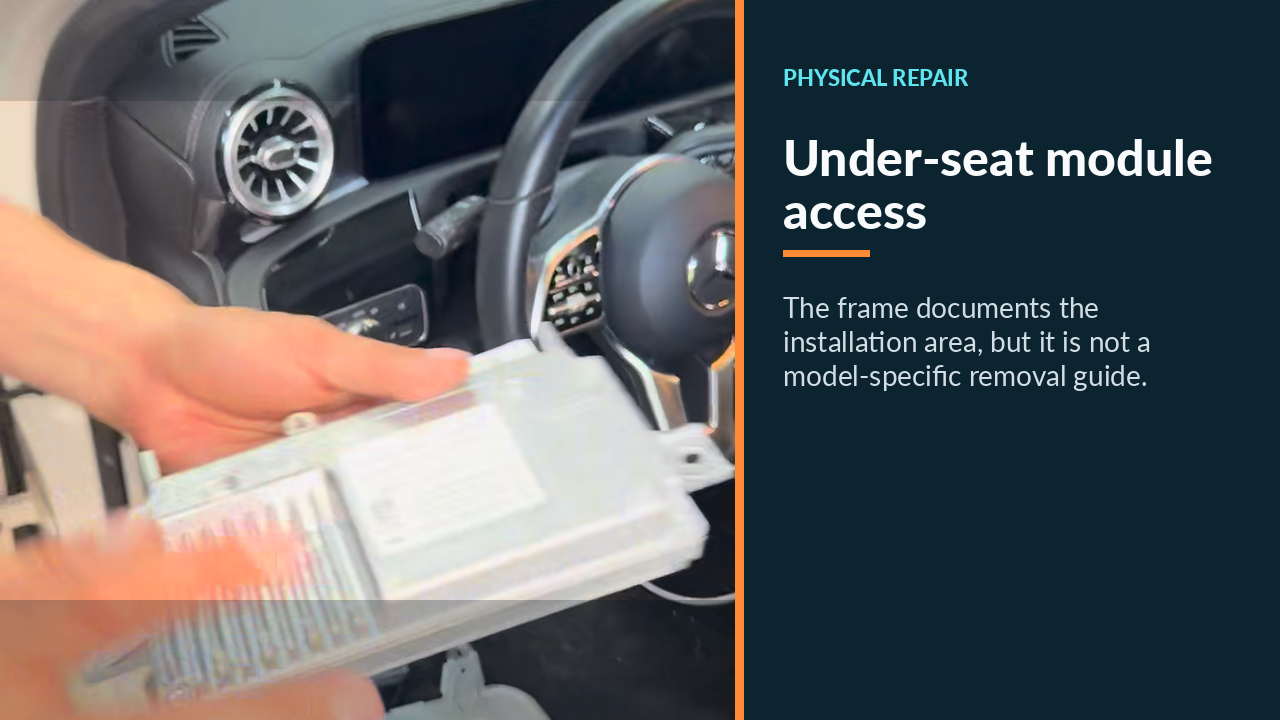
Continuing beyond the screen, the workshop accessed the relevant module beneath a seat and removed it. The diagnosis was a failed reverse-camera control module; the case record further attributes the unstable operation to an internal chip problem. That is the confirmed component conclusion for this car, distinct from the earlier clue that merely localized the symptom to camera activation.
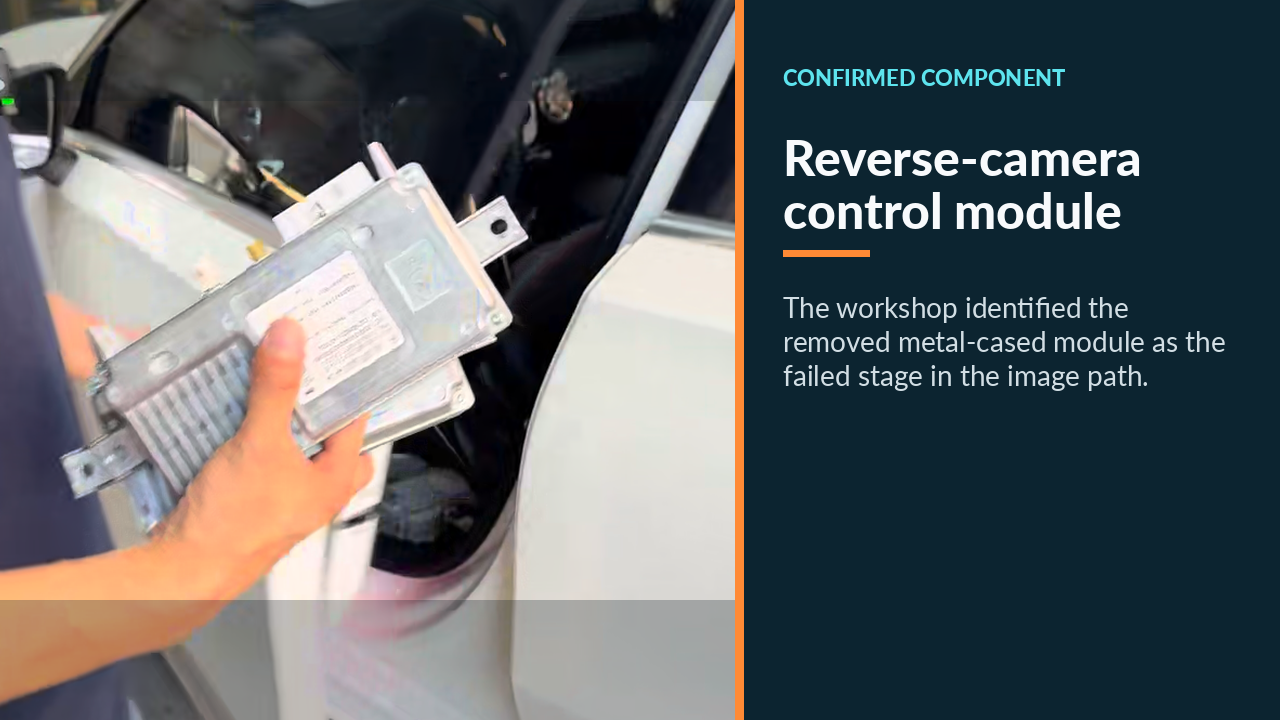
The module’s label is visible in the repair footage, but no VIN-specific part number, hardware revision, software identifier, bench-test result, or measured electrical value is reported here. Those details should not be reconstructed from a frame or assumed from the model name. Proper component identification still depends on the vehicle’s actual equipment record. Before replacing the under-seat camera module, the AUTOOL DM303 automotive circuit analyzer can speed up checks of power, ground, continuity, and the Park-to-Reverse signal change so the display is not blamed for an upstream fault.
Replacement was only half the repair
After the repair plan was agreed with the owner, the faulty control module was replaced. The opened access area and removed unit document the broad scope of the job, not a step-by-step procedure.
Installation did not complete the work by itself. The replacement module then had to be coded and programmed for the vehicle configuration so it could operate with the existing camera and display system. The available record does not identify the programming platform, software release, battery-support arrangement, or coding sequence. Those are vehicle-specific service tasks, not settings to copy from this case.
This coding step is restoration work: it returns configuration after the physical repair. Keeping it separate from diagnosis prevents a common misunderstanding. Programming was necessary after replacement, but its necessity does not by itself prove that the original module was faulty; the diagnosis had already been reached from the fault behavior and workshop checks.
Repeating the trigger closed the loop
Verification used the condition that originally exposed the problem. After module replacement and coding, the workshop selected Reverse and called the camera again. The reverse image appeared steadily, and the center display no longer repeated its earlier flicker.
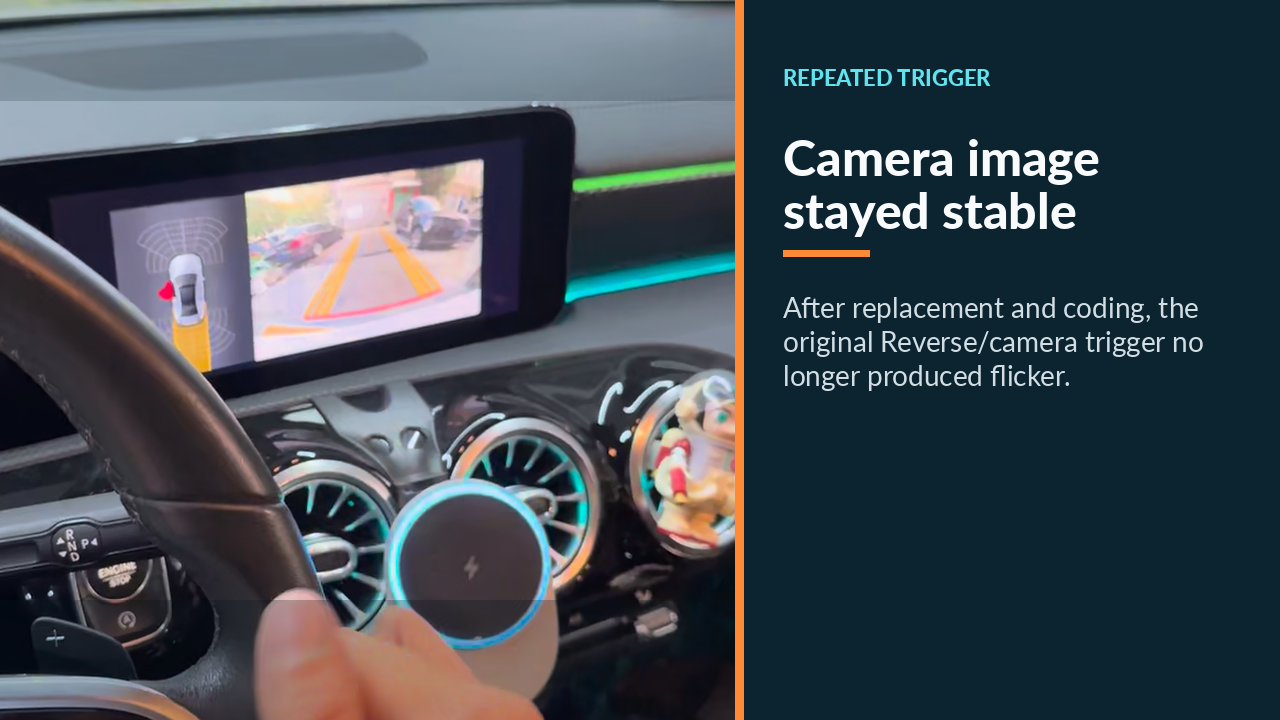
That is stronger than checking only that the infotainment home screen still worked: Park had already been normal before the repair. The post-repair check challenged the actual complaint and demonstrated immediate functional restoration. Its boundary is equally specific. The record does not show a road test, vibration or heat-soak challenge, a defined observation interval, later mileage, or owner follow-up, so it supports an immediate workshop result rather than long-term durability.
A first-check sequence for another flickering camera
On a similar vehicle, first record exactly when the image fails: Park, Reverse, manual camera selection, a cold start, or an intermittent bump. Next compare ordinary display operation with camera operation, preserve any fault codes, and inspect camera power, ground, connections, communication, and the video path. Only then isolate whether the camera, wiring, control module, display, or software is responsible. If a module is replaced, restore its required coding and repeat the same trigger that produced the complaint before declaring success.
This A200 supports a reverse-camera control-module diagnosis because the workshop localized and repaired that stage, and because the original Reverse/camera trigger worked normally afterward. It should not be copied as a parts prescription: the same visible flicker can come from the camera, wiring, connectors, power supply, display, or software on another car.









Comments 0
Questions, fixes, and real-world diagnostic notes from readers.
Be the first to share a diagnostic result or ask a follow-up question.